Raspberry Pi Zero W Camera for Sketch Time-Lapse
A follow-up to my Raspberry Pi Zero W home server post, this time putting the camera module to use.
The goal was to capture a time-lapse of a sketching session, starting from a blank sheet of ARCHES Aquarelle cold-pressed watercolor paper (300 g/m² / 140 lb, 18 x 26 cm / 7 x 10 in) and working toward a bicycle I’d spotted in a magazine. The clip stops mid-drawing rather than on a finished piece, but by the end it’s clearly recognizable as a bicycle. My tools were a Faber-Castell 2B Pitt Graphite Matt pencil for the initial lines, followed by a Faber-Castell Ecco Pigment 0.3 pen.
A Locale Detour
Before any of the camera work, SSH-ing into the Pi threw a wall of perl: warning: Setting locale failed errors, left over from a dpkg-reconfigure locales run during the initial board setup. The cause was my Mac’s Terminal forwarding an LC_CTYPE=UTF-8 environment variable over SSH. That isn’t a real locale name, just a macOS quirk. I fixed it on the Pi by commenting out the AcceptEnv line in /etc/ssh/sshd_config, so the SSH server stops accepting the forwarded LC_* variables.
1 | #AcceptEnv LANG LC_* COLORTERM NO_COLOR |
The Plan
Shoot a still photo at a fixed interval for the length of a sketch session, then pull the images down to my Mac and stitch them into a video with ffmpeg. One self-contained script that runs for a single session and stops. I didn’t need continuous recording, so there’s no cron scheduling at all.
Picking an Interval
I settled on one shot every 10 seconds for 20 minutes, 120 frames in total. A timing test showed that rpicam-still takes about 4.4 seconds to capture at full resolution on the Pi Zero W’s chip, so my first attempt at a 6-second interval left too little headroom. 10 seconds was safer.
120 frames was itself a revision down from 200, a change I ended up making with sed -i rather than an editor (more on that below).
The Script
1 |
|
Timestamped filenames keep every capture unique and already sorted, with no manual numbering needed.
I made the script executable:
1 | chmod +x pizerow-sketch-timelapse.sh |
Then I run it the moment I sit down to sketch.
The actual time between frames is the sleep time plus the capture time, so a “10 second” interval was really closer to 14 seconds, and the “20 minute” session ran for about 26 minutes. It didn’t matter here, but it’s worth knowing if you need an exact session length.
Start Recording
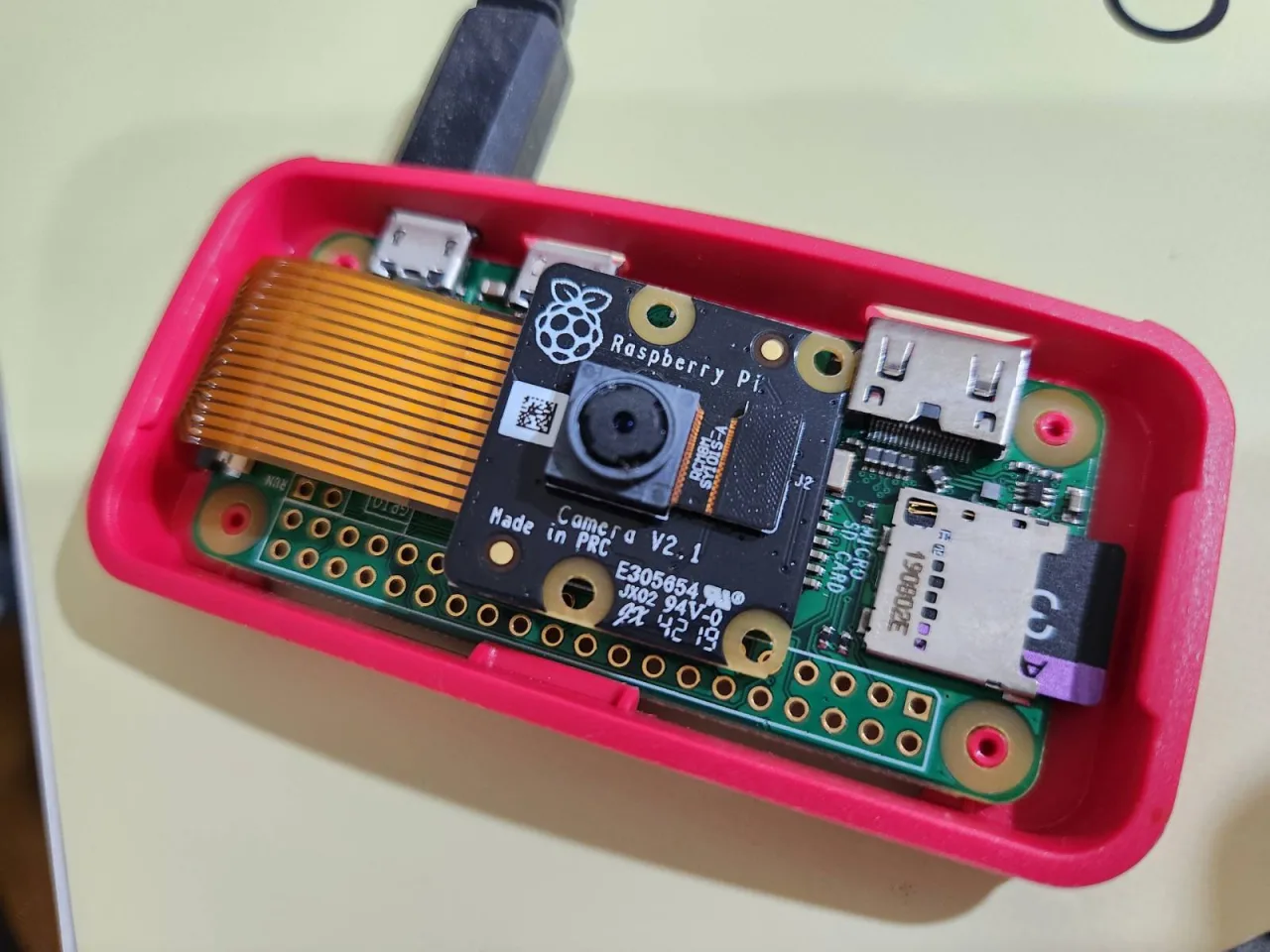
By this point everything was in place. The project folder existed, the script was written and tested, and the executable bit was set. I propped the camera in position facing the sketch area, using a random desk calendar as a stand, and started the run.
1 | ./pizerow-sketch-timelapse.sh |
From there the script was on its own for the whole session. I just sketched a bicycle and let it shoot. The one thing I couldn’t control was framing. With no monitor on the Pi, I had no way to check the camera angle while it recorded, so the whole take could have come back with the drawing sitting out of frame. It didn’t. Everything landed inside the frame, and the footage came out better than I expected.
Stitching the Video
Pull the images down with scp:
1 | scp -r pizerow:~/pizerow-sketch-timelapse/captures ~/Desktop/sketch-captures |
Then encode on the Mac. Encoding on the Pi itself would be painfully slow:
1 | ffmpeg -framerate 4 -pattern_type glob -i '*.jpg' \ |
That single command handles two fixes at once. Pacing comes from -framerate 4, which gives a roughly 30-second clip; 6fps felt too fast. Orientation is corrected with transpose=2,transpose=2, since the camera was mounted upside down.
Result
A roughly 30-second clip of a bicycle sketch taking shape on Aquarelle paper, from the first pencil lines (2B Pitt Graphite Matt) through inking (Ecco Pigment 0.3), stopping mid-drawing but recognizably a bicycle by the end. Shot on a Raspberry Pi Zero W camera module propped up on a desk calendar.
Commands I Learned Along the Way
Most of the work came down to a handful of commands. rpicam-still captured each frame, wrapped in a Bash loop with seq, sleep, and date for timestamped filenames, and mkdir -p to create the capture folder on first run. chmod +x made the script runnable, scp -r pulled the whole folder back to the Mac, and a single ffmpeg call did the stitching, rotation, and color correction.
The command I actually learned to reach for was sed -i. sed is the “stream editor,” a command-line tool built for finding and transforming text, most often used for find-and-replace. The -i flag stands for “in-place”: normally sed just prints its result to the screen and leaves the original file alone, but -i tells it to write the changes straight back into the file.
When I needed to drop the frame count from 200 to 120, my instinct was to open the script in nano, but nano on the Pi Zero W was barely usable at that point, freezing on launch and taking what felt like 40 seconds to a minute just to register a single keystroke on the board’s limited hardware. sed -i 's/200 frames/120 frames/' pizerow-sketch-timelapse.sh does the whole find-replace-save in one instant, non-interactive command, with no editor to load and no back-and-forth.
Pulling the frames back to the Mac used scp -r. scp is the secure copy command itself. The -r flag stands for “recursive”: normally scp copies a single file, but since captures is a whole folder containing 120 files, -r tells it to copy the folder and everything inside it, not just one file.
The last flag worth spelling out is the +x in chmod +x, which the script needed before it could be run as ./pizerow-sketch-timelapse.sh. It makes the file executable, giving it permission to be run directly as a program rather than only read as plain text. chmod stands for “change mode,” the command for changing a file’s permissions, which control who can read it, write to it, or execute it. +x means “add the execute permission”: the + adds a permission, and x stands for “execute.”
chmod +x only adds execute permission. It doesn’t touch read or write at all. Think of +x as purely additive and narrowly scoped: “add this one specific permission, leave everything else about the file’s current permissions exactly as it was.”